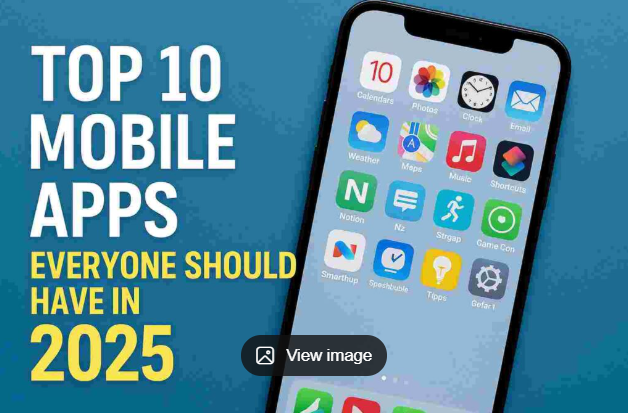
Smartphones have become an essential part of daily life, and in 2026, the right apps can save time, boost productivity, improve finances, and even protect your digital life. The best part? Many of the most powerful apps are completely free.
In this article, you’ll discover the best free apps everyone should have in 2026, whether you are a student, working professional, content creator, or entrepreneur.
Remains the gold standard for secure, end-to-end encrypted messaging, voice, and video calls without data harvesting.
Chatgpt was my most used paid app. Until I tried Gemini. It was mindblowing, at least to me, how far ahead Gemini was in understanding and solving complex problems. Cancelled the chatgpt subscription last month and on Gemini trial atm.
Why Choosing the Right Apps Matters in 2026
- Digital life is faster than ever
- AI-powered apps save hours of work
- Free apps now offer premium-level features
- Productivity and security are more important than ever
Using the wrong apps wastes time. Using the right apps multiplies results.
1. Google Keep (Best Free Notes App)
Google Keep is a simple yet powerful note-taking app.
Why It’s Useful
- Quick notes and reminders
- Voice notes and image notes
- Syncs across all devices
- Works offline
Best For: Students, writers, planners
Platform: Android, iOS, Web
2. ChatGPT (AI Assistant for Daily Life)
In 2026, AI is no longer optional. ChatGPT helps with writing, learning, planning, and problem-solving.
What You Can Do
- Write emails and articles
- Learn new skills
- Get coding help
- Plan daily tasks
Best For: Everyone
Cost: Free version available
3. Google Photos (Smart Photo Backup)
Google Photos remains one of the best free photo management apps.
Key Features
- Automatic backup
- AI-based photo search
- Face recognition
- Easy sharing
Best For: Anyone with a smartphone
Free Storage: Limited but useful
4. Canva (Design Without Skills)
Canva allows anyone to create professional designs without design knowledge.
Use Canva For
- Instagram posts
- YouTube thumbnails
- Presentations
- Posters & flyers
Best For: Bloggers, YouTubers, businesses
Cost: Free plan is powerful
5. Notion (All-in-One Productivity App)
Notion combines notes, planning, task management, and databases in one app.
Why People Love It
- Clean interface
- Highly customizable
- Works for personal & work life
Best For: Productivity lovers
Platform: Android, iOS, Desktop
6. Google Drive (Free Cloud Storage)
Google Drive is essential for storing and sharing files.
Benefits
- 15GB free storage
- Easy file sharing
- Secure cloud backup
Best For: Students, professionals
Bonus: Works with Docs, Sheets & Slides
7. Microsoft Authenticator (Security App)
Cyber security is critical in 2026. Microsoft Authenticator adds extra protection to your accounts.
Features
- Two-factor authentication
- Password-less login
- Backup & restore
Best For: Online safety
Cost: Free
8. YouTube (Free Learning Platform)
YouTube is no longer just entertainment—it’s a free university.
Learn Anything
- Coding & tech
- Stock market basics
- Fitness & health
- Life skills
Best For: Self-learners
Best For: Daily travel & navigation
9. Google Maps (Smarter Than Ever)
Google Maps in 2026 offers real-time data, AI route planning, and local insights.
Why It’s Essential
- Traffic updates
- Offline maps
- Nearby places & reviews
Best For: Daily travel & navigation
10. Spotify (Free Music & Podcasts)
Spotify’s free version is enough for most users.
What You Get
- Millions of songs
- Podcasts & audiobooks
- Personalized playlists
Best For: Music & podcast lovers
11. Paytm / PhonePe (Digital Payments)
Digital payments are unavoidable in India.
Why These Apps Matter
- UPI payments
- Bill payments
- Cashback offers
Best For: Daily transactions / Cost: Free
12. Google Lens (Smart Search Tool)
Google Lens turns your camera into a search engine.
Uses
- Translate text
- Identify objects
- Scan documents
- Solve homework
Best For: Students & curious minds
13. Forest App (Focus & Productivity)
Forest helps reduce phone addiction.
How It Works
- Grow virtual trees while focusing
- Stay off phone to keep trees alive
Best For: Study & deep work / Free Version: Available
14. Files by Google (Best File Manager)
A lightweight and powerful file manager.
Features
- Clean junk files
- Fast file sharing
- Offline usage
Best For: Android users
15. Duolingo (Free Language Learning)
Learning languages is easier than ever.
Why Duolingo Is Popular
- Gamified lessons
- Short daily practice
- Free core features
Best For: Beginners
How to Choose the Right Apps for You
- Avoid installing too many apps
- Focus on daily-use apps
- Check privacy permissions
- Keep apps updated
Quality matters more than quantity.